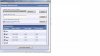
I don't know where to put this so please forgive me if it's in the wrong spot. How do you attach more than one picture to your posts? I can't figure this out for the life of me!! Thanks in advance!
It only lets me choose one photo at a time to upload and once one is uploaded, if I choose another photo it will replace the first one???? What am I doing wrong?
You do the paperclip and select one photo and attach. Then select another and attach. Then if you preview post you will see two side by side. Hit post and they both show up. At least that is how it is on my computer -- I am not using a tablet or phone though.
If you click on upload it shouldn't replace the previous picture. Once you've clicked on an item to upload it will appear in the "current attachments" list underneath the upload boxes (but above the "Attachment key" box), and the upload box will be cleared for you to enter your next item.
You can keep adding more photos and they will appear as a list in the 'current attachments' list
Hello Guest,
Welcome to the new version of Sheltieforums.com. If you have any questions regarding the new software, please post in the following section: Forum Upgrade
This site uses cookies to help personalise content, tailor your experience and to keep you logged in if you register.
By continuing to use this site, you are consenting to our use of cookies.